
Phone Number Type Meaning: How to Read the Number Type in a Lookup Result
What the number type label in a carrier lookup means, how numbering plans define categories like mobile and fixed line, and how teams route lists with it.
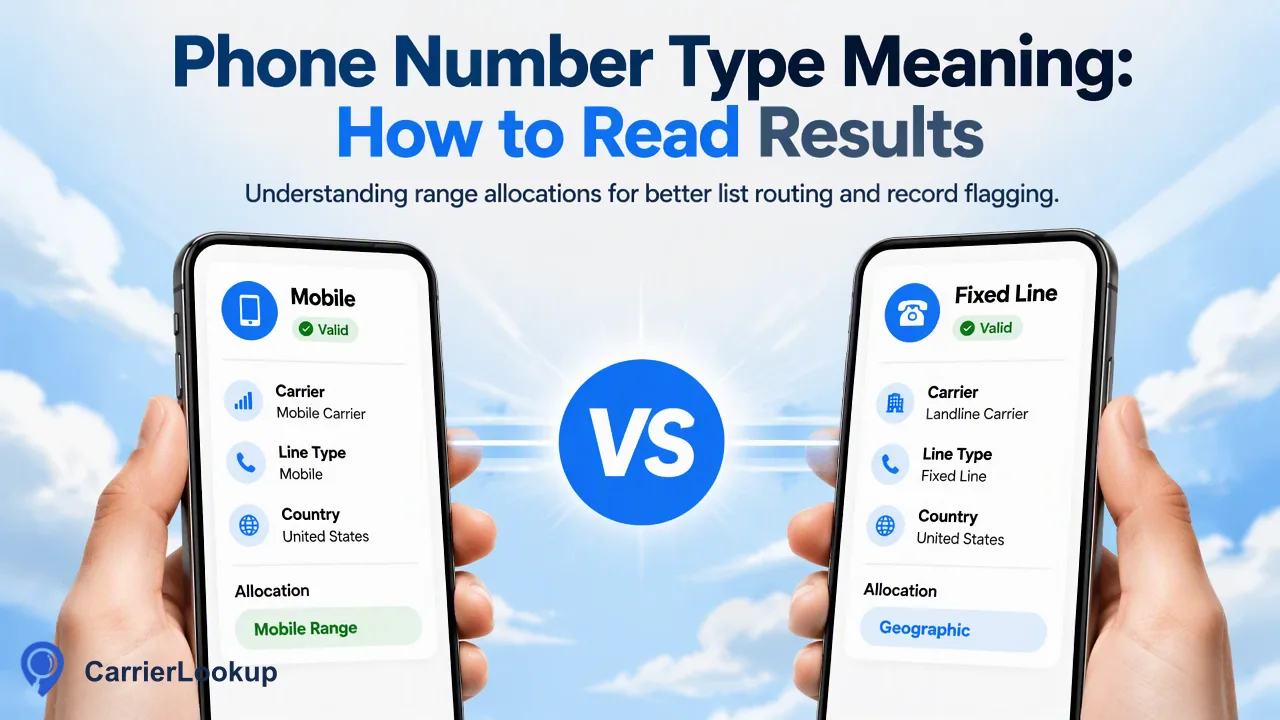
A plain guide to what a number type label describes, where the categories come from, and how teams use it to route lists and flag records for review.
Phone number type meaning, in a lookup result, is the category of number range a phone number belongs to: for example a mobile range, a fixed-line or geographic range, a range used for internet-based (VoIP) services, or a special range such as freephone. The label comes from how the national numbering plan and the original allocation classify that block of numbers. Teams use it to split a list into groups, choose which workflow each group enters and send unusual records to review. It describes the range, so it is best read as classification context rather than a statement about the phone, the person or whether a call will connect.
What phone number type means in a lookup result
Every national numbering plan divides its numbers into ranges and gives each range a designated use. Regulators publish these designations: in the UK, for example, Ofcom explains that numbers starting 01 and 02 are geographic, 03 numbers are UK-wide at geographic rates, 07 numbers are mostly mobile and 09 numbers are premium rate.
A number type label in a lookup result condenses that designation into one word or short phrase. When a result says a number is mobile, it is saying the number sits in a range designated and allocated for mobile service. When it says fixed line, the range belongs to fixed telephony, usually tied to an area code.
Three practical consequences follow:
- The label is stable. It changes only if the range itself is reclassified, not because the subscriber changes handset or plan.
- The label is about the range, not the line's current state. A number in a mobile range can be switched off or unused; the type stays the same.
- The label is coarse on purpose. It is good for grouping thousands of records, and less suited to judging a single person.
Common number type categories and how numbering plans define them
Label wording varies between providers and countries, so map whatever labels your results contain to a small internal vocabulary. The categories below cover most numbering plans.
| Category | What the range is designated for | Typical clue in the number |
|---|---|---|
| Mobile | Cellular service allocated to mobile operators | A national mobile prefix, such as 07 in the UK |
| Fixed line (geographic) | Fixed telephony linked to an area code | An area code, such as 020 for London |
| VoIP or location-independent | Internet-based or nomadic voice services | Ranges a regulator sets aside for such services, where they exist |
| Freephone / toll-free | Calls free or reduced for the caller | Prefixes such as 0800 in the UK |
| Shared-cost and premium rate | Services with a set service charge | Prefixes such as 084, 087 or 09 in the UK |
| Other special ranges | Pagers, personal numbering, machine-to-machine | Plan-specific prefixes |
Two cautions apply. First, not every plan separates these cleanly. In the North American Numbering Plan, mobile and fixed numbers share the same area codes, so the prefix alone rarely tells you the type; the allocation of the specific block does. Second, the UK 070 range looks like a mobile number but is designated for personal numbering services, which is why reading allocation data is more reliable than reading the first digits.
Why a number type can look surprising
Teams often notice results that seem to contradict what they know about a contact. Most of these cases have an ordinary explanation rooted in how ranges work.
The contact moved to another provider. Number portability lets a subscriber keep the number when switching operator. The number keeps its original range, so its type and original carrier both still reflect the first allocation. CarrierLookup reports the carrier the range was originally allocated to, which can differ from the network serving the number today.
The prefix looks mobile but the type says otherwise. As noted above, some plans reuse look-alike prefixes for personal numbering, pagers or machine-to-machine ranges.
A business number looks like a landline but is hosted online. Many companies keep a geographic number while routing calls through an internet telephony service. Because the range is geographic, the label usually stays fixed line.
The type is empty. A completed lookup can return empty optional fields. Record that as an unavailable value. It is missing context, not a negative finding, and it should not be filled in by guessing from the prefix.
Using number type to route lists and flag records for review
Number type earns its value when it drives a simple, documented decision. A starting set of rules might look like this:
- Mobile. Keep in the standard workflow for channels designed around mobile numbers.
- Fixed line. Route to call-based workflows, or exclude from campaigns built only for mobile channels after a human confirms the rule.
- VoIP or location-independent. Place in a light review queue where policy calls for it. A VoIP number is common among legitimate businesses, so review rather than reject.
- Freephone, shared-cost or premium rate. Usually a company switchboard or service line; tag as a business contact point instead of a personal number.
- Empty. Leave the record in its current path and mark the type as unavailable.
Keep the rules in a table that your CRM or data pipeline reads, so changes are visible and reversible. Store the lookup date beside the value, because a list checked last year may contain ranges that have since been reclassified.
Treat number type as one input among several. It informs routing and review; it does not by itself show that a number is reachable, active or owned by the person who gave it, so decisions with real consequences should combine it with your other signals.
Getting the number type for one number or a whole list
CarrierLookup returns a number type alongside the original carrier, the underlying carrier, the country code and the allocation region and city. The route depends on list size.
- One number. The synchronous single check,
POST /api/v1/check, takes one number in E.164 format: a leading plus sign, the country code and the subscriber number with no spaces, as defined by ITU-T E.164. No separate country selection is needed. - Small sets. The synchronous multi request,
POST /api/v1/batch-check, takes 1 to 100 numbers, even from different countries, and returns results in input order. Rows marked exists=false had no normal result; keep them as unchecked rather than as a type. - Dashboard work. The dashboard accepts up to 500 numbers in one synchronous batch, which suits analysts sampling a list before deciding on rules.
- Whole lists. A bulk file task takes a one-column TXT or CSV for one selected country and returns one downloadable CSV with the same allocation columns. Per-product limits apply, so check the API documentation before preparing a file.
Format errors are rejected before lookup, so a rejection means the input needs fixing, not that the number has no type.
FAQ
How can teams tell whether a number type label is reliable enough to act on?
Start by sampling. Check a few hundred records whose real use is known, such as office lines and staff mobiles, and compare the labels. Use the result to decide which types drive automatic routing and which only add a review flag. Keep high-impact decisions, such as removing a contact, behind a human check, and revisit the rules when the share of empty or unexpected labels changes.
Does a ported number change its number type?
Usually not. Porting moves the service to a new operator while the number stays in its original range, and the range defines the type. A mobile number ported between mobile operators stays mobile, and its original carrier still reflects the first allocation. Treat the type as a property of the range and record the lookup date so later reviews know when the context was gathered.
How should teams store number type in a CRM?
Use a picklist field with your internal categories, plus a separate text field holding the raw label exactly as returned, and a date field for the lookup. The picklist keeps reporting simple, the raw label preserves detail if your mapping changes, and the date shows freshness. Leave the picklist blank, not set to a guessed value, when the result was empty.
Can number type replace a prefix-based rule set?
In plans where prefixes map neatly to services, such as most UK ranges, prefix rules are a reasonable first filter. In plans where mobile and fixed numbers share prefixes, such as North America, they break down quickly. Allocation-based number type handles both cases with one rule set, so many teams keep prefix checks only for input formatting and use the lookup for classification.
Learn More
Choose the product information that fits the next step in your workflow.