
Join a Carrier Lookup CSV to Original Contact Rows
A practical guide to join a carrier lookup csv to original contact rows, with documented request boundaries and review steps for data teams.
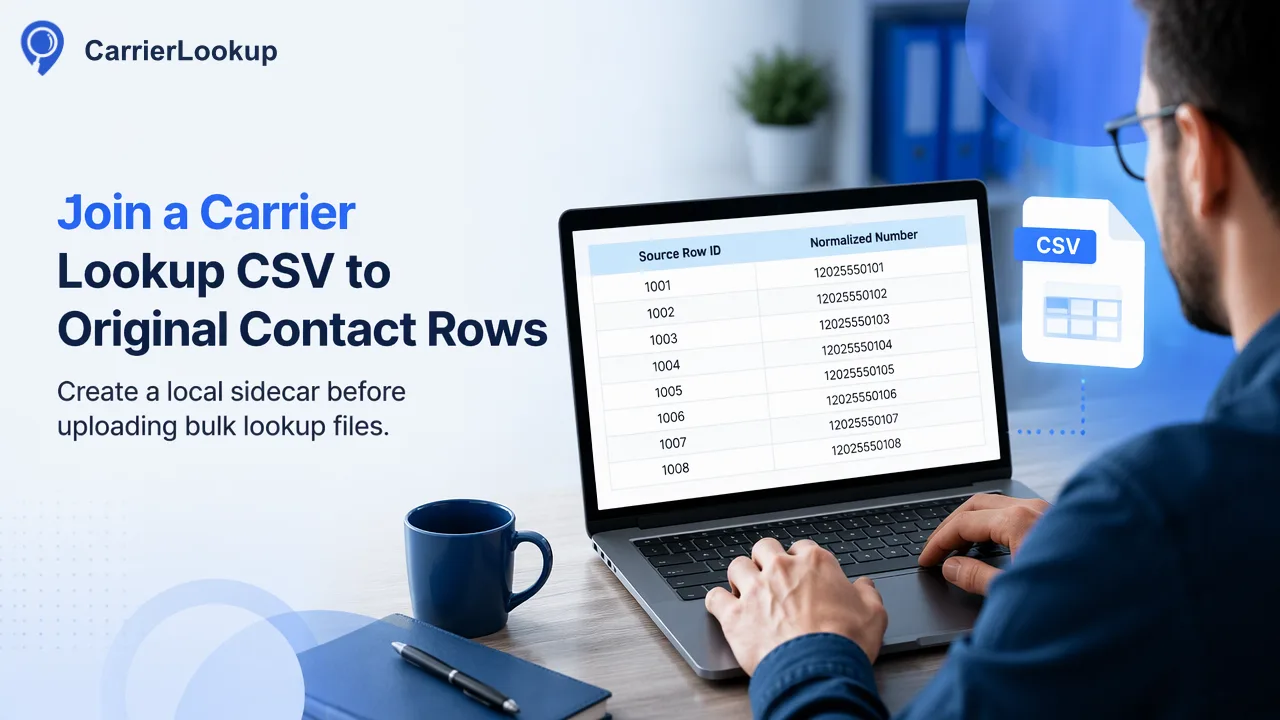
To join a carrier lookup CSV back to contact records, create a local sidecar before uploading: map each prepared country-coded number to every original contact-row ID that supplied it.
To join a carrier lookup CSV back to contact records, create a local sidecar before uploading: map each prepared country-coded number to every original contact-row ID that supplied it. Submit only prepared identifiers for the selected country, then reconcile the returned CSV by identifier rather than file row position. This preserves duplicate contacts without pretending that the bulk service returns one row for every source record.
Prepare the sidecar before creating the bulk file
CarrierLookup's realtime Original Carrier Lookup returns the originally allocated carrier, underlying carrier, number type and allocation geography. Its separate Global carrier lookup product handles asynchronous file tasks. The Global carrier lookup page is the relevant product path. Bulk accepts one-column TXT or CSV with a country-coded number on each line and one selected ISO country. The prepared file should be essentially for that selected country. Do not assume the product accepts XLSX, mixed schemas or a file containing CRM row IDs.
A source CRM export may contain repeated numbers, different display formats, blank values and numbers outside the intended country. Before submission, create a local mapping from the canonical country-coded number to a list of source row IDs. Keep the original text and normalization decision beside each row for audit. For example, two contacts may share one business switchboard number; the sidecar should preserve both row IDs even if the submitted list contains that number once. This is a customer-owned data structure, not a column returned by the bulk product.
Separate a rejected source row from an excluded prepared identifier. A row may be unusable before upload because it lacks enough context to normalize, while bulk preprocessing may later exclude duplicates or numbers outside the selected country. Record the stage clearly.
Use identifier meaning, not row position, as the join key
A successful bulk task returns one CSV with an identifier and original-allocation fields. Bulk identifiers are country-coded digits without a plus sign or spaces. The source CRM may store E.164 numbers with a leading plus, national formatting or punctuation. Normalize both sides into the same customer-owned comparison form before joining, while retaining each original representation separately. Do not assume that the order of CSV rows matches the order of contact rows; preprocessing can exclude invalid or duplicate entries.
The join is many-to-one: several contact rows can point to one prepared number and one returned lookup row. Expand the result back to those source rows only after validating the key. Conversely, if a returned identifier is absent from the submitted manifest, quarantine it for review rather than attaching it to the nearest row. This is a reconciliation rule, not a claim that unexpected rows are normal product behavior.
A compact manifest can hold source row ID, original phone text, normalized comparison value, selected country, prepared-file name and submission batch reference. These are local metadata fields. They must not be advertised as CarrierLookup CSV columns. The API documentation should be used for current task submission and result details.
Check exclusions and duplicates before updating records
Bulk preprocessing excludes invalid rows, duplicates, numbers without a country code and numbers outside the selected country. Excluded rows are not charged. This is why an upload row count, a prepared valid count and a result count may differ. Reconcile them as three separate quantities. Do not fill an excluded row's carrier from an adjacent output line. If duplicate source contacts share one normalized number, the application can map the one completed result back to both, with the same observation time and source.
A task may fail during preparation if too few valid mobile numbers are estimated or another acceptance condition fails. In that case, do not create phantom result rows from the input file. Keep the manifest for diagnosis and consult the product documentation for current per-product limits. This article intentionally does not state a specific task minimum, maximum or normal completion time. The bulk task is asynchronous, so wait for success before using its CSV.
The CSV fields describe original allocation, not the current carrier after number porting. Region and city are range-allocation geography, not a contact's location. A completed row with empty allocation fields should remain a completed row with unavailable values, not be discarded as an invalid join.
Produce a reconciliation report before the CRM write
The final customer-owned report should list submitted unique identifiers, returned identifiers, unmatched submitted keys, unexpected returned keys, source rows whose numbers were rejected before upload, and duplicate source rows that will receive the same result. A reviewer should approve the join policy for unmatched cases before writes begin. Keep the raw CSV and sidecar under the organization's own access and retention policy so a later audit can reproduce the mapping.
For each CRM update, check that the contact still carries the same normalized number. If it changed while the task ran, mark a conflict rather than overwriting the current record with stale carrier context. An optional record version check can help the customer's integration enforce that rule; it is not a CarrierLookup feature. Store the lookup source and observation time with the original-allocation fields.
After a dry run, sample a repeated number, a number excluded during preparation, a completed empty-field result and a contact edited during the task. The expected outcomes are respectively a deliberate many-to-one expansion, no invented carrier result, preserved empty values, and a deferred conflict. This validation targets the real risk of a file workflow: mapping a technically correct lookup onto the wrong contact.
If one source row contains several phone fields, record which field generated each prepared identifier. A primary contact number and an alternate number should not receive interchangeable carrier values. The sidecar can then explain why a completed CSV row updated one field but left the other untouched, even when both values belong to the same person or company record.
FAQ
Should teams join bulk CSV rows by position?
No. Use the returned country-coded identifier and a local sidecar mapping to source row IDs; preprocessing can remove rows.
How should duplicate contacts with one phone number be handled?
Preserve every source row ID in the sidecar, submit the prepared identifier once where appropriate, and deliberately map the completed result back to each matching row.
What happens to a number excluded during preparation?
Keep it in an exclusion report and do not invent a carrier result for that source row.
Can the CSV show a contact’s current network or location?
No. It reports original carrier and number-range allocation geography, which are not current network or person-location facts.
Learn More
Choose the product information that fits the next step in your workflow.