
Carrier Lookup API in Python: Single and Multi Requests with requests
Call a carrier lookup API from Python with the requests library: single and multi requests, ordered results, empty values and a balance check.
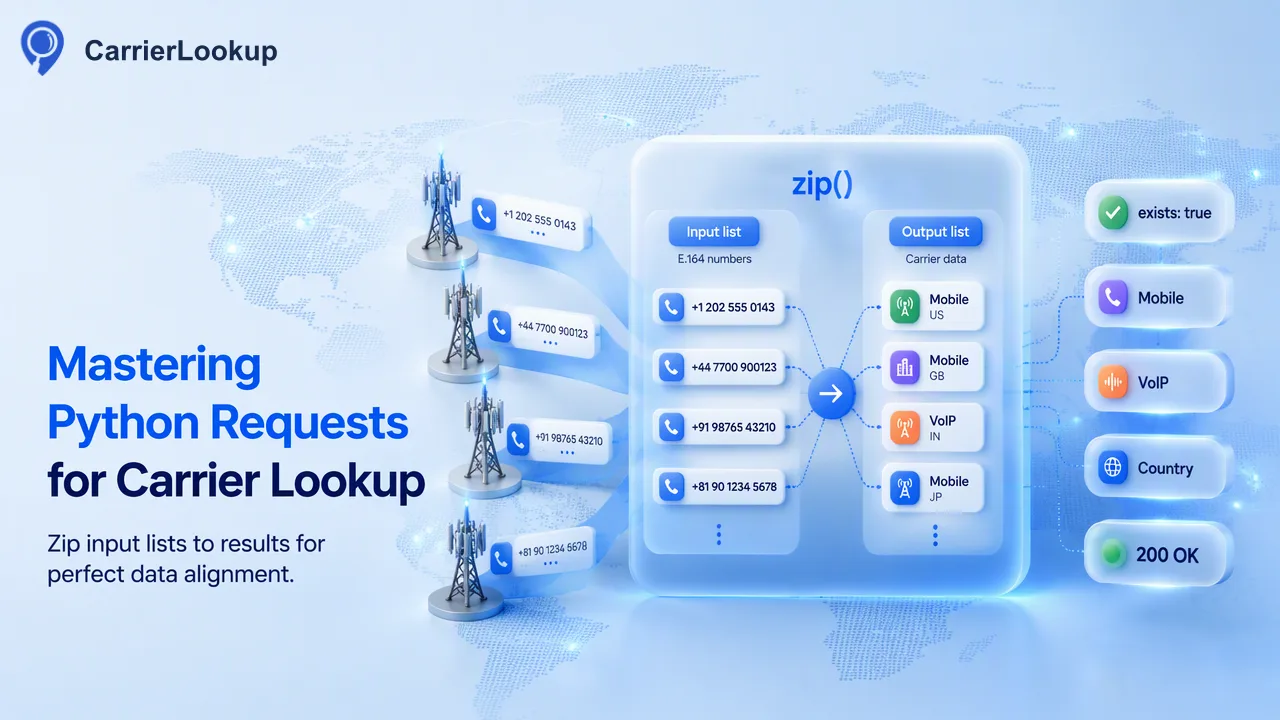
A Python walkthrough for single and multi carrier lookups with requests, including error handling and mapping ordered results back to rows.
To call a carrier lookup API in Python, use the requests library to POST an E.164 number to /api/v1/check for one result, or a list of up to 100 numbers to /api/v1/batch-check for an ordered set of results. Send the API key in the X-API-Key header from a trusted server, set a timeout, check the response code before reading data, and map multi results back to your rows by position and identifier. The carrier returned is the original allocation, not the current network.
Set up a requests session for carrier lookups
The requests library keeps HTTP calls short, and a session object lets every call share headers and a connection. Install it with pip install requests and keep the key out of source code by reading it from an environment variable.
import os
import requests

BASE_URL = "https://carrierlookup.online"

session = requests.Session()
session.headers.update({
    "X-API-Key": os.environ["CARRIERLOOKUP_API_KEY"],
    "Accept": "application/json",
})
Three habits are worth building in from the start:
- Run this code only on a trusted server, a worker or a notebook you control. Never ship the key in a browser or mobile app.
- Always pass a
timeoutto each call. Without one, requests can wait indefinitely. - Normalise numbers to E.164 before sending anything: a leading plus sign, the country code and the subscriber number, with no spaces or separators.
A small helper that strips separators and adds the plus sign saves a lot of repeated cleanup, and it keeps formatting problems out of your results. A rejected format is a formatting problem, not a carrier answer, so handle it before the request.
Send a single lookup to /api/v1/check
The realtime single lookup is POST /api/v1/check. It takes one E.164 number and answers in the same response. Send the number in the JSON body as described in the API documentation.
def check_one(number: str) -> dict | None:
    resp = session.post(
        f"{BASE_URL}/api/v1/check",
        json=build_single_payload(number),  # body shape: see the API docs
        timeout=65,
    )
    resp.raise_for_status()
    body = resp.json()
    if body.get("code") != 0:
        print("not completed:", body.get("msg"))
        return None
    return body["data"]
The body has a code, a msg and a flat data object. A code of zero means the lookup completed. The data holds the original carrier, the underlying carrier, the number type, the country code, the region and the city. Any of the optional values may be empty, and a completed result with every carrier value empty is still a normal result. Store empty values as unavailable, not as proof that a number has no carrier.
A non-zero code means the lookup did not complete, for example when an answer could not be determined. Do not turn that case into an empty success. Failed or undetermined lookups do not keep a charge, so a retry with a short delay is reasonable. The public documentation lists timeout ceilings for realtime calls, so keep your client timeout at or above the documented ceiling for single requests.
Send a multi request and map results to rows
When you have a small batch, POST /api/v1/batch-check takes between 1 and 100 E.164 numbers and returns an ordered synchronous result. The numbers may come from different countries. The response summarises how many items there were, how many succeeded and how many failed, and then lists a result per input in order.
def check_many(numbers: list[str]) -> list[dict]:
    resp = session.post(
        f"{BASE_URL}/api/v1/batch-check",
        json=build_multi_payload(numbers),  # body shape: see the API docs
        timeout=310,
    )
    resp.raise_for_status()
    body = resp.json()
    if body.get("code") != 0:
        raise RuntimeError(body.get("msg"))
    return body["data"]["results"]
To attach results to your rows, zip the input list with the result list, and check that each item's identifier matches the number you sent. That second check protects you from silent misalignment if a list was changed between building and sending the request.
Each item also carries an exists flag. When it is false, the item has no normal result. That is not the same as an invalid or disconnected number, so store it as no result and decide later whether to retry or leave it. A multi request that times out fails as a whole with no partial results, and the full amount is returned, so the safe response is to retry the same chunk.
Only one multi request per account runs at a time, so a loop that processes chunks should wait for each call to finish before sending the next one.
Chunk, retry and check the balance
Real lists are longer than 100 numbers, so split them into chunks and handle each one in turn.
def chunks(items, size=100):
    for i in range(0, len(items), size):
        yield items[i:i + size]

rows = []
for part in chunks(clean_numbers):
    rows.extend(check_many(part))
Several practical rules keep this loop dependable:
- Deduplicate the clean list first, so each number is looked up once.
- Catch
requests.exceptions.TimeoutandConnectionErrorseparately from API errors, and retry a bounded number of times with a pause. - Keep concurrency low. The public documentation describes a small number of shared in-flight realtime slots and does not publish a fixed per-minute cap, so avoid firing many parallel threads.
- Write each completed chunk to disk or a database as soon as it returns, so a crash does not lose finished work.
Before a large run, call GET /api/v1/balance. It reads the account balance without charging anything, and it lets the script stop early with a clear message instead of failing halfway through. Both realtime and file services share one balance and bill per completed number.
For lists far larger than a handful of chunks, an asynchronous file task is a better fit than a long loop of synchronous calls. A file task is a separate workflow with its own endpoint, not a bigger version of a multi request.
Interpret the results responsibly
Once the data is in a pandas frame or a database, the main risk is over-reading it. The carrier is the one the number range was originally allocated to. After porting, the person may use another operator. Region and city describe allocation geography, not where a person or phone is now. The number type tells you the kind of range, not whether the line is active.
Good uses include grouping records for provider routing tests, flagging unusual number types for review and adding context columns to a CRM. Poor uses include deciding that a number can or cannot be reached, assuming who owns it, or inferring consent.
A simple schema keeps the meaning clear: original carrier, underlying carrier, number type, country code, region, city, lookup status and lookup time. The status column separates completed, empty and failed outcomes, so later reports do not mix them.
FAQ
Which Python library works best for carrier lookup API calls?
The requests library is enough for both the single and the multi endpoint. Use a session to share the API key header, always set a timeout, and call raise_for_status plus a check on the response code. For many concurrent jobs, keep the pool small because realtime slots are shared across the account.
How can teams map multi results back to input rows?
Results come back in input order, and each item repeats the identifier that was sent. Zip the input list with the results, then verify that each identifier matches its row before writing data. Items where the exists flag is false should be stored as having no normal result, not as invalid numbers.
Where should the API key live in a Python project?
Keep it in an environment variable or a secrets manager on a trusted server and read it at start-up. Do not commit it to source control or send it from browser or mobile code. If it leaks into a log or repository, rotate it and review recent usage.
Learn More
Choose the product information that fits the next step in your workflow.