
How to Tell If a Number Is a Cell Phone or Landline
Use number-type allocation data to distinguish mobile, landline and VoIP ranges before grouping contact records.
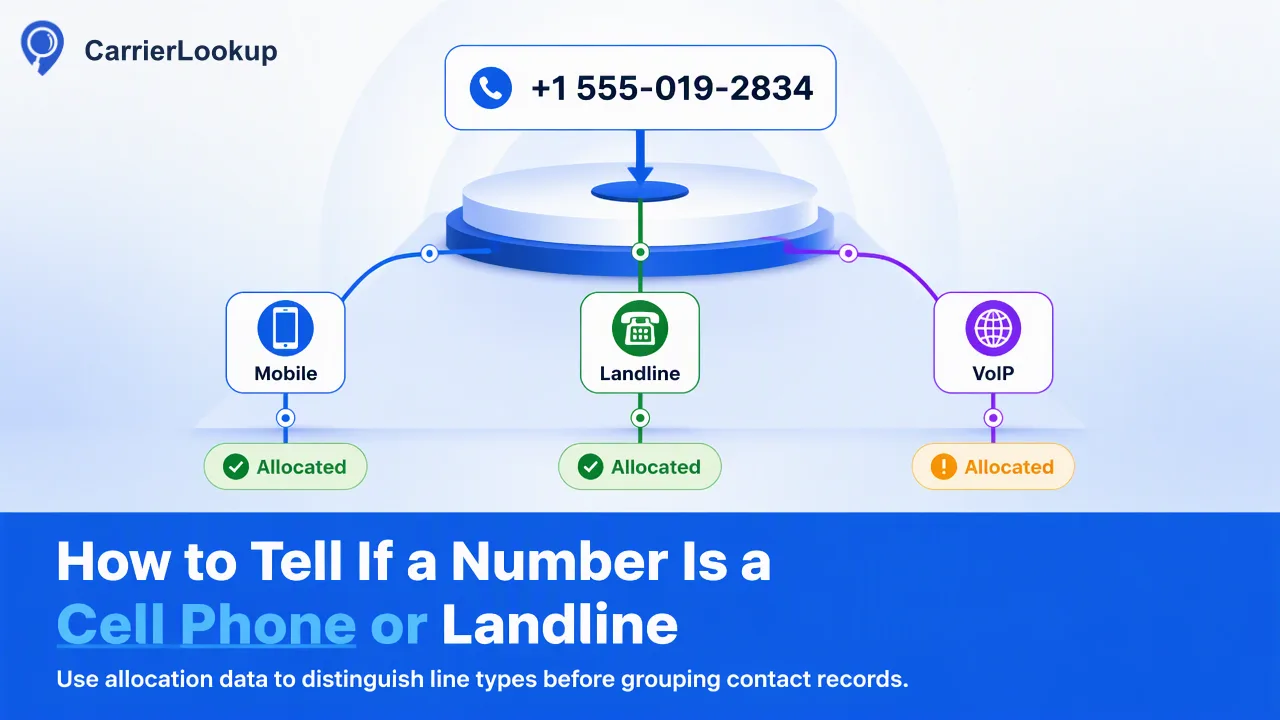
Use number-type allocation data to distinguish mobile, landline and VoIP ranges before grouping contact records.
To tell if a number is a cell phone or landline, check its number type with a lookup rather than guessing from the area code or first few digits. CarrierLookup reports how the number range was classified at original allocation, alongside the originally allocated carrier and allocation geography. Use that context to group records for review, while keeping actual service status and contact permission as separate questions. A single-number lookup is the clearest starting point for an unfamiliar record.
Why the prefix alone is a weak test
A number prefix can suggest where a range was assigned, but it is not a reliable substitute for a lookup of the specific number. Number plans evolve, providers share ranges, and subscribers can keep a number when changing providers. The FCC's consumer guidance on porting describes keeping a phone number when switching service providers. That makes a static prefix table especially poor evidence of which company serves a number today.
CarrierLookup answers a narrower and more useful data-enrichment question: what carrier and number type were associated with the number's original allocation? Its number type can classify the allocated range as mobile, landline, VoIP or another supported type. That classification is appropriate for segmenting a contact list by recorded range type. It is not a direct observation of whether the individual line is active, whether a mobile device is attached or whether a message could be delivered.
Start with the team's actual decision. If the task is simply to separate records by allocation category before manual review, number type is relevant. Use the result as allocation context for list review, and evaluate operational questions through their own evidence.
Run one lookup and read the result carefully
Prepare the phone number in E.164 form: a leading plus sign, country code and subscriber number without spaces or display punctuation. Preserve the source value alongside the normalized one so a reviewer can check that no digit was lost. In CarrierLookup, use the dashboard single lookup or the realtime REST single check, POST /api/v1/check. The result comes back in the same request session when decided.
Read number type first for the mobile-versus-landline question. Then use the carrier, underlying carrier and allocation geography as context rather than additional proof of service. The carrier is the one the range was originally allocated to. Region and city describe the range's allocation geography, not a person's or device's current location. A code-zero completed result can still have empty carrier fields; keep those values as unavailable instead of inventing a type or treating the number as disconnected.
If the check is rejected for format, fix the input before interpreting any lookup data. An undecided response likewise should remain unresolved in the team's records. The result may be informative only when the check actually completed for the intended number.
Check a short list without building a file task
For a short list, normalize each number and use CarrierLookup's synchronous multi-number workflow. The REST multi endpoint, POST /api/v1/batch-check, accepts up to 100 E.164 numbers and returns ordered results in the same request session; numbers may be from different countries. The dashboard realtime batch accepts up to 500 numbers. These routes are useful when a CRM operator needs to review a small set without creating a separate file task.
Keep the input order and source record key together so a result is attached to the right contact. In the API multi response, a row without a normal result has exists=false. That is not a statement that the phone number is invalid or disconnected; mark the lookup as unavailable for that row. Also distinguish a whole-request timeout from row-level results: the documented multi timeout fails the whole request rather than returning a partial set.
For a much larger prepared list, CarrierLookup has a separate asynchronous file task. Its TXT or CSV input and later result download are different from synchronous multi checking. The file route requires country selection and has per-product acceptance rules, so review the current API documentation before preparing the file.
Use number type in a contact review process
A simple review table can make the lookup useful without overstating it. Keep the normalized phone number, source record, lookup date, number type, original carrier and any empty-field status in separate columns. Add a reviewer decision only after a person or an approved rule has interpreted the data. This design lets a team distinguish “mobile allocation category” from “approved for a mobile-only workflow.”
| Lookup outcome | Appropriate CRM handling |
|---|---|
| Mobile type reported | Place in a mobile-category review group |
| Landline type reported | Place in a fixed-line-category review group |
| VoIP or other type reported | Review according to the team's channel policy |
| Type unavailable | Keep an explicit unknown value; do not guess |
| Format rejected or check undecided | Correct input or review before classification |
A phone number may be shared, reassigned or recorded against the wrong contact. A number-type lookup does not resolve those record-ownership issues. It also does not establish consent for an outreach channel. Treat those as separate data-quality and permission checks rather than hidden assumptions behind a mobile label.
Verify the classification before acting on it
Before using a newly enriched list, sample rows from each category and compare the submitted number with the source record. Check especially country codes and entries that were converted from a national display format. An incorrect E.164 transformation can return allocation context for a different number. Keep a record of when the lookup ran, because both list contents and source records can change.
Choose a service whose documented output matches the decision the team needs. CarrierLookup's carrier field remains original allocation context even if the number has been ported. If the workflow depends on calling or texting, use the separate operational and permission evidence required for that decision. The number-type result is most valuable when it is used for what it reports: a documented allocation category that helps a team organize a contact list for the next review step.
FAQ
Can an area code tell whether a number is mobile?
An area code alone is a weak indicator. A number-type lookup gives a classification for the allocated range, although that still does not establish live service or reachability.
How should a team record an empty number-type field?
Store it as unavailable with the check date and source number. Do not convert an empty field into landline, invalid or disconnected.
When should a team use a multi-number lookup?
Use synchronous multi checking for a short normalized list that fits the documented request or dashboard limit. Larger prepared lists use a separate file-task workflow.
Learn More
Choose the product information that fits the next step in your workflow.