
Operator Checker: What a Phone Number Operator Check Actually Shows
Learn what an operator checker reports for a phone number, why the original operator matters after porting, and how to check one number or a list.
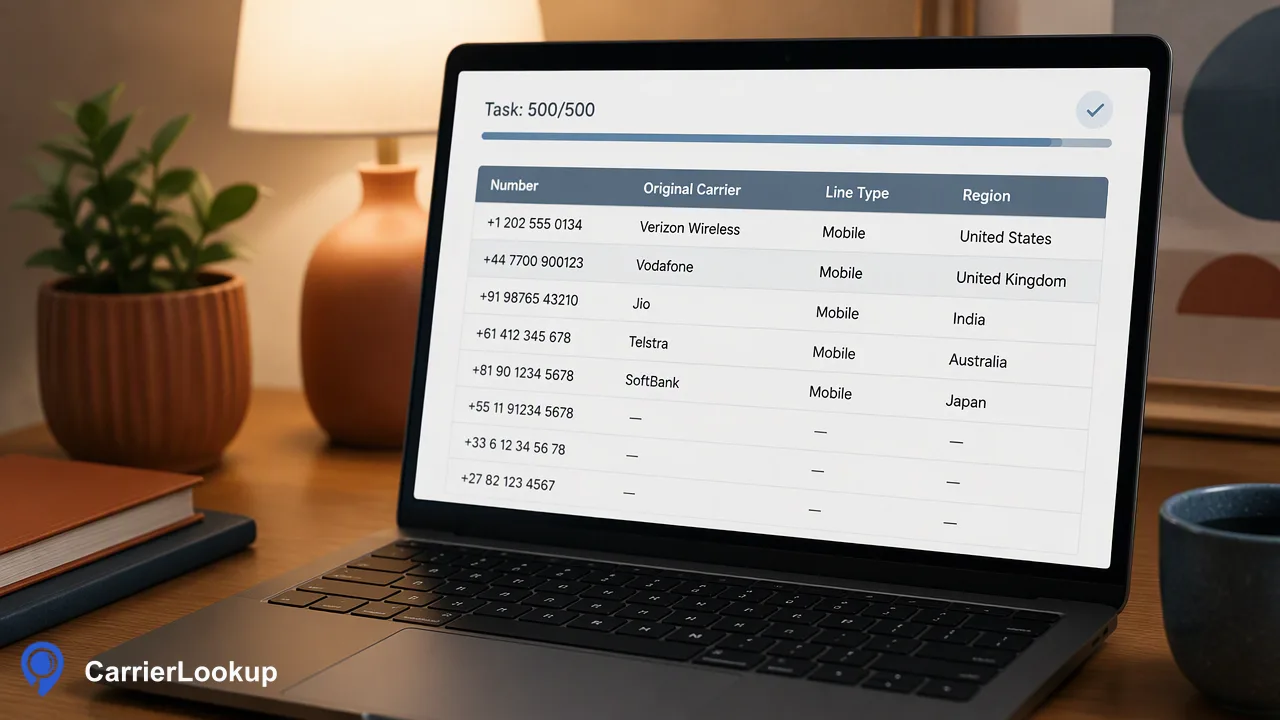
A plain-language guide to operator checks: the original operator, number type and allocation region, and how to run them for one number or a whole list.
An operator checker tells you which mobile or fixed-line operator a phone number range was originally allocated to, usually with the number type and the region where the range was assigned. In markets with heavy number portability, that original operator can differ from the network serving the number today. CarrierLookup is an operator checker of this kind: a synchronous single check returns the original operator, underlying operator, number type, country code and allocation region and city, while a file task handles whole lists. The result supports grouping, routing tests and review, not conclusions about who owns or answers the number.
What an operator checker shows
Readers search for this in many languages: operator check, carrier lookup, network checker, operadora, Betreiber, operatör. They usually mean the same thing: given a phone number, which company does it belong to?
Every country publishes a numbering plan, and the ITU index of national numbering plans links to them. Regulators allocate blocks of numbers to operators, and an operator checker reads that allocation. A CarrierLookup operator check returns:
- Original operator: the company the number block was allocated to.
- Underlying operator: the network behind that operator, when a value is available, which helps with virtual operators that run on another network.
- Number type: the kind of range, such as mobile or fixed line.
- Country code, region and city: where the range was allocated.
Region and city describe the number range, not where a person or phone is. Any of the optional values can be empty on a completed check.
Why the original operator matters with number portability
Number portability lets subscribers keep their number when they switch provider; the FCC porting guide describes the US rules, and most countries have similar schemes. In markets where porting is common, a number that started with one operator may now be served by another.
An operator checker based on allocation reports where the number started. That is still useful:
- Grouping and reporting. Teams can see how a list splits across original operators and number types.
- Routing tests. Messaging or voice teams can compare provider performance by original operator, while remembering that a ported number may behave like its new network.
- Review queues. A fixed-line number in a mobile-only field, or a range from an unexpected country, can be flagged for a person to check.
What it does not do is tell you the present network, whether the line is in service, or who uses it. Keep those questions separate from the operator result.
Ways to check a phone number's operator
Several routes exist, and they answer slightly different questions.
| Route | What it tells you | Limits |
|---|---|---|
| Operator short codes or help lines | Whether a number is on that one operator's network | One operator, one country; for example GO Malta offers a free call to check whether a number is on its network |
| Regulator or national portability lookups | Varies by country | Usually one number at a time, local numbers only |
| Prefix tables | A guess from the first digits | Breaks down where porting is common and ranges are reused |
| Operator checker service such as CarrierLookup | Original operator, underlying operator, number type, allocation geography | Allocation context only; country coverage varies |
For one-off checks in a single country, a local tool may be enough. For international numbers, repeated checks or whole contact lists, a lookup service with an API and file tasks saves manual work and gives consistent fields across countries.
How to run an operator check with CarrierLookup
Pick the route by how many numbers you have.
- Format the number in E.164. Use a leading plus sign, the country code and the subscriber number with no spaces or dashes, as defined by the ITU-T E.164 plan. An Indian number written 098765 43210 becomes +919876543210. A badly formatted number is rejected, which is not the same as having no operator.
- One number: run a single check. Use the dashboard, or have a trusted server call POST /api/v1/check with an X-API-Key header. AI assistants can use the official MCP endpoint for the same check. No country selection is needed.
- Up to a few hundred numbers: run a multi check. The API accepts 1 to 100 numbers per POST /api/v1/batch-check request and the dashboard accepts up to 500, mixed countries allowed, with results in input order.
- A whole list: submit a file task. Upload a one-column TXT or CSV file for one selected country, poll the task no more than every 30 seconds, and download one CSV of results. Per-product limits apply; see the API documentation.
Mainland China, Hong Kong and Macau numbers can use single checks in small volumes but not file tasks.
Reading operator results and avoiding common mistakes
A few habits keep operator data useful:
- Label the column correctly. Call it "original operator" in your CRM or spreadsheet so colleagues do not read it as today's network.
- Keep blanks as unavailable. A completed check can return empty operator fields.
- Separate undetermined checks. If a check returns a non-zero business code, store nothing as a result and retry later instead of writing empty values.
- Do not map region to people. Allocation region and city say where a range was assigned, which can differ from where the subscriber lives.
- Do not treat an operator result as consent or contactability. Messaging and calling decisions still depend on your own consent records and channel rules.
- Recheck format before blaming the data. Most surprising results trace back to missing country codes or local prefixes left in the number.
FAQ
How can teams check a phone number's operator without an API?
The CarrierLookup dashboard runs a single operator check from a browser, and it also accepts up to 500 numbers for a multi check or a TXT or CSV file task for a full list. Each completed check shows the original operator, number type and allocation region. Teams that later want automation can move the same workflow to the REST API without changing how results are read.
Why might an operator checker show a different operator than the subscriber's bill?
Allocation-based operator checks report the company the number range was originally assigned to. If the subscriber ported the number to another provider, the bill comes from the new provider while the check still names the original operator. Both can be correct at once, which is why the result should be labeled as original operator in any report or CRM field.
Does an operator check work for numbers from any country?
Coverage varies by country and number type, so no lookup should be assumed to cover every range. Single checks accept E.164 numbers from many countries without a separate country selection. Mainland China, Hong Kong and Macau numbers are supported for small single-check volumes but not in file tasks. Teams with unusual destinations can test a few numbers before planning a large job.
Learn More
Choose the product information that fits the next step in your workflow.