
Number Range Allocation: How Phone Numbers Are Assigned to Carriers
How the ITU, national regulators and operators divide phone numbers into blocks, and why carrier lookups report the original allocation and its geography.
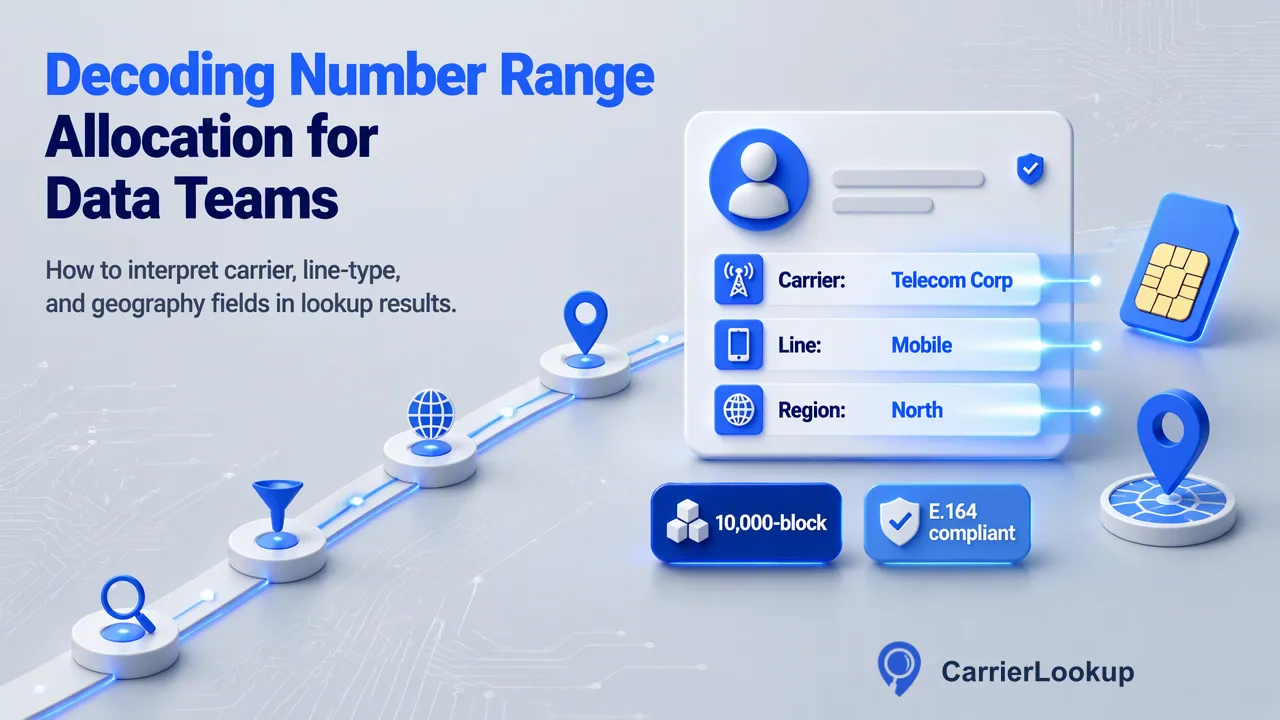
An explainer on how phone number blocks move from the ITU to regulators to operators, and how to read original carrier, region and city in lookup results.
Number range allocation is the process by which a national regulator hands blocks of phone numbers to telecom operators, which then assign individual numbers to customers. The ITU assigns each country its code, the national regulator divides the national numbering plan into ranges with designated uses, and operators receive blocks inside those ranges. A carrier lookup reports this original allocation: the operator that received the block, the type of range and the geography tied to it. That is why results describe where a number came from rather than where it is served today or where its user is.
How number range allocation works, layer by layer
Phone numbering is a hierarchy with three layers of responsibility.
- International. The ITU administers country codes under Recommendation E.164, which defines the international format: country code plus national significant number, up to 15 digits in total. The ITU's international numbering resources service publishes the status of those codes.
- National. Inside each country code, the national regulator writes the numbering plan. It decides which leading digits are for geographic fixed lines, mobiles, freephone and other services, and the length of each number.
- Operator. The regulator allocates blocks within those ranges to licensed operators. Each operator then assigns individual numbers from its blocks to subscribers.
Regulators publish the operator layer. Hungary's regulator, for example, lists which provider holds each mobile range, and Ofcom offers downloadable numbering data for the UK. These records are the backbone of original-allocation context: they say which operator received a block, regardless of who serves an individual number later.
Block sizes and allocation rules in practice
Allocation rules differ by country, but the patterns are similar.
| Plan | How blocks are allocated | What the block tells you |
|---|---|---|
| North American Numbering Plan | Central office codes of 10,000 numbers, often split into 1,000-number blocks through pooling | The operator and rate center the block was assigned to |
| United Kingdom | Ofcom allocates blocks in each range to communications providers and publishes the records | The provider and, for 01/02 ranges, the area code |
| Hungary | Whole mobile ranges or sub-ranges are assigned to named operators | The mobile operator holding the range |
In the US, thousands-block number pooling divides each 10,000-number code into ten sequential blocks of 1,000 so several operators in one rate center can share a code without stranding numbers. That detail matters for lookups: two numbers that differ only in their last four digits can belong to blocks allocated to different operators.
Regulators also attach conditions, such as using numbers only for the designated service and returning unused blocks. When a range is withdrawn and re-allocated, the allocation context for those numbers changes, which is one reason to store the date of every lookup.
What happens to numbers after allocation
Allocation is the starting point. Several ordinary events separate a number's original allocation from its present situation.
- Porting. Subscribers can keep a number when switching operator. Service moves, but the block stays recorded against the original operator. This is the main reason a lookup's original carrier can differ from today's network.
- Wholesale and virtual operators. A block holder may provide numbers to resellers or virtual operators that sell under their own brand. An underlying carrier value, where present, helps relate a brand to the network beneath it.
- Reassignment. When a subscriber gives up a number, the operator can eventually assign it to someone else, typically after an ageing period. The allocation is unchanged, though the user is different.
- Reclassification. Occasionally regulators redesignate ranges or change number lengths, which shifts the type or geography of a whole block.
For data teams, the lesson is to treat allocation as durable context about the range. It answers where a number came from and what kind of range it belongs to. Questions about present service or the person behind the number need other evidence.
Region and city as allocation geography
Many numbering plans tie geographic fixed-line ranges to places. In the UK, the first digits of 01 and 02 numbers form an area code linked to a specific area; in North America, blocks are assigned to rate centers. When a lookup returns a region and city, it is reporting that allocation geography: the area the block was assigned to.
Read these values carefully:
- They describe the block, not the person or device. A customer can keep a geographic number after moving house, and a business can route a local number anywhere.
- Mobile ranges are usually national, so they carry little place information. Do not infer a contact's town from a mobile number.
- Empty region or city values in a completed lookup are unavailable values. Store them as blank instead of filling them from the prefix.
Used well, allocation geography is helpful for grouping fixed-line records by area code, spotting obviously mismatched records such as a London office with a number assigned elsewhere, and planning regional call workflows. It is not suitable for estimating where an individual is.
Reading allocation fields for a whole list
CarrierLookup reads original allocation context for each number: the original carrier, the underlying carrier, the number type, the country code and the allocation region and city.
A workable process for a contact list:
- Normalize. Convert numbers to E.164 format with a plus sign and country code. Format errors are rejected before lookup and are not a result about the carrier.
- Sample synchronously. Use
POST /api/v1/batch-checkfor 1 to 100 numbers per request, or the dashboard for up to 500, to see how a country's allocations look before committing to rules. - Run the full list as a file task. Submit one country's numbers as a one-column TXT or CSV through
POST /api/v1/bulk-tasks, pollGET /api/v1/bulk-tasks/{id}no more than once every 30 seconds, and download the single CSV. Invalid rows, duplicates and numbers outside the selected country are excluded and not charged. - Store with dates. Write each allocation value to its own CRM field, keep blanks as unavailable and record the lookup date.
Per-product limits apply to file tasks, so check the API documentation for the current values.
FAQ
How can teams explain to stakeholders why the original carrier differs from the contact's current provider?
Describe the field as the operator that received the number block from the regulator. Porting lets subscribers change provider while keeping the number, so the block record stays with the original operator. Naming the CRM field "Original carrier" and adding a short tooltip usually resolves the confusion. Reports that need present-day network information should state that this field answers a different question.
Are allocation records the same in every country?
No. Block sizes, range designations and how much geography is attached vary by numbering plan. North America assigns codes to rate centers and pools thousands-blocks; the UK links 01 and 02 ranges to area codes; many countries keep mobile ranges national. Teams working across countries should read each country's results on their own terms instead of applying one rule set everywhere.
How should teams handle numbers whose allocation fields come back empty?
If the lookup completed, keep the record and store the empty fields as unavailable. Do not convert an empty value into a negative label such as invalid or unknown carrier, and do not fill it from the prefix. If a multi request row was marked exists=false or a request failed, treat the number as unchecked and schedule a retry separately.
Learn More
Choose the product information that fits the next step in your workflow.