
CRM Data Cleansing for Phone Numbers: A Pre-Import Checklist
Prepare phone fields, country data, duplicates and allocation context before importing a contact list into a CRM.
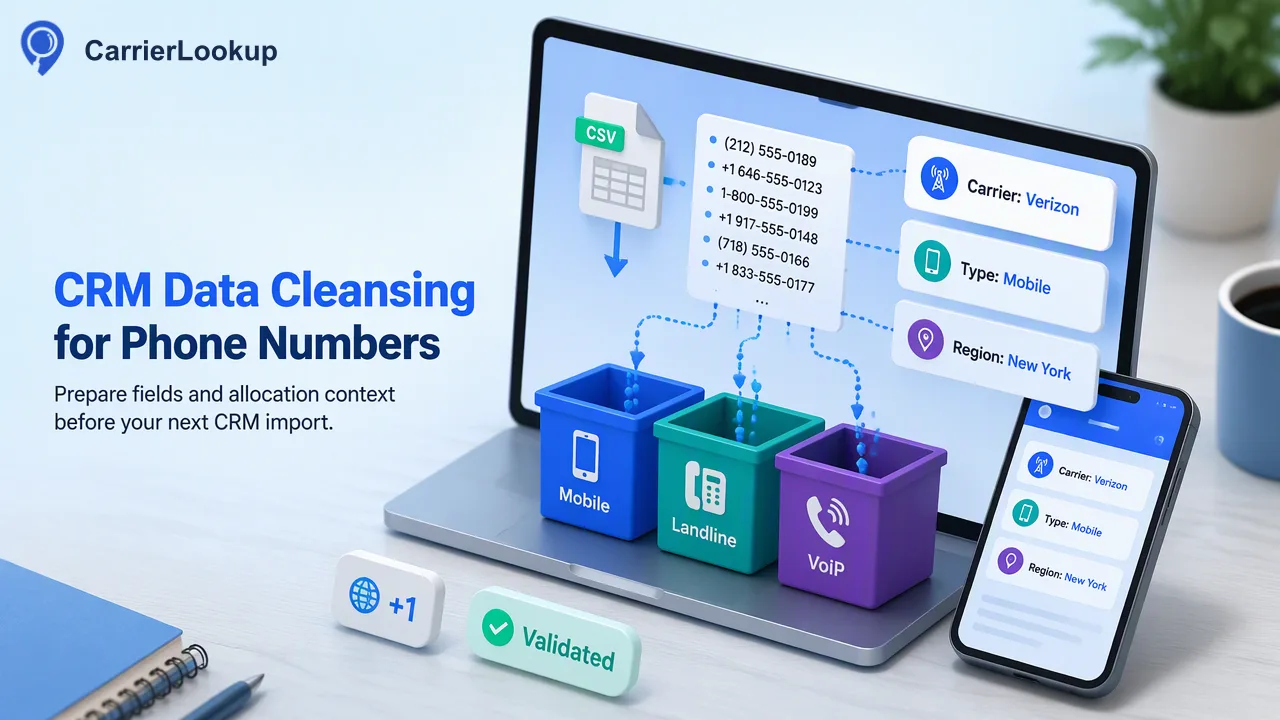
Prepare phone fields, country data, duplicates and allocation context before importing a contact list into a CRM.
CRM data cleansing for phone numbers starts before the import button: preserve source values, establish the country for each record, normalize numbers to E.164, review duplicates, then attach only the allocation context a lookup actually returns. Keep unavailable lookup values explicit. This sequence makes the imported list easier to audit and avoids turning a formatting correction or an original-carrier result into a claim about a person or a live line.
Preserve the source and choose the phone field
Export a working copy of the contact list and keep a stable source-record key. The raw phone value belongs in one column; the cleaned value belongs in another. Include country, contact owner, last update time and the source of permission in separate fields if the CRM holds them. This makes it possible to review a change and, when necessary, trace a bad import back to its source.
Decide which phone field the team is cleaning. A record may contain a main line, a mobile line and a switchboard extension. Do not concatenate an extension into the normalized international number. Do not silently overwrite a known mobile field with a general office number because the source row contains both. If the CRM has one generic phone field, document which input has priority and where the other number will be stored.
Spreadsheets can distort phone identifiers. Microsoft's guidance recommends text formatting to preserve leading zeros and long digit strings. If a spreadsheet already discarded a digit, changing the cell format will not recover it. Compare suspicious rows against the upstream export rather than guessing a replacement.
Normalize country and E.164 before deduplication
E.164 provides an international numbering structure under the ITU recommendation. For CarrierLookup realtime input, submit a leading plus sign, country code and subscriber number without spaces or separators. Start by assigning a trustworthy country or numbering region. A local-format number without that context is not ready for conversion.
Remove visual punctuation in a helper field, then apply the country-specific rule for any national dialing prefix. Do not delete a leading zero by a universal rule; confirm whether it is a trunk prefix in that country's plan. Numbers that already include a plus and country code should not receive another country code. Flag ambiguous rows and leave the cleaned field empty until reviewed.
Only after normalization should the team compare phone numbers for duplicates. Two visually different raw strings may normalize to the same international number. Keep all linked contact records visible: a repeated number may be a shared business line or a data error, and a duplicate decision should not merge people automatically. Store a duplicate-review status rather than deleting rows during cleanup.
Choose a lookup route that matches list size
For a new or corrected CRM record, CarrierLookup's realtime Original Carrier Lookup can add number type, originally allocated carrier, underlying carrier and number-allocation geography. A single check is appropriate for one record. The same-session REST multi check accepts up to 100 E.164 numbers, and the dashboard realtime batch accepts up to 500. The multi route preserves input order, which helps map results back to the source keys.
A large backlog follows a separate asynchronous file task. Prepare a one-column TXT or CSV containing one country-coded number per line, and select the country used for that task. A mixed-country CRM export should be separated into country groups first. The list should be essentially from the selected country; rows that do not meet the bulk preprocessing rules may be excluded. Read the current CarrierLookup API documentation for live limits and acceptance details instead of embedding assumed limits in an import template.
The file task is not a same-response lookup. Submit the prepared file, monitor its task state at the documented interval and download its result CSV after success. Keep a mapping from the prepared identifier to the CRM source keys, because the bulk result identifier is plain country-coded digits without a plus sign. The transformation between that identifier and the CRM's E.164 field should be explicit.
Map fields without inventing stronger conclusions
The CarrierLookup carrier field refers to the company to which the number range was originally allocated. The region and city fields are allocation geography. The number type describes the range classification. Put those values into CRM fields named accordingly, such as “original carrier” and “allocation region,” rather than generic “carrier” and “location” labels that could be mistaken for present facts about a person.
| Import field | Store | Do not infer |
|---|---|---|
| Normalized number | Reviewed E.164 value | Ownership or permission |
| Number type | Reported allocation category | Whether service is active |
| Original carrier | Reported range allocation | The operator serving the line after porting |
| Allocation region or city | Reported number-range geography | Person or device location |
| Empty lookup field | Unavailable value | Negative or invalid result |
A completed lookup may contain empty carrier fields. Keep them empty or use a clear unavailable marker; do not auto-fill a guessed operator from the prefix. A format rejection or undecided lookup belongs in a review queue rather than in a normal enriched-result group. The CRM should preserve the lookup date so a later user understands the age of the data.
Test the import and document the exception path
Before importing the entire file, test a small sample containing an ordinary mobile range, a landline or VoIP category, a duplicate, an empty lookup field and a number that needed national-to-international conversion. Check that the CRM mapped every field to the intended column and that a blank value did not overwrite good source data unexpectedly. Review a few records after the test import in the actual CRM interface.
Prepare an exception report with source keys, reasons and owners. Possible categories are missing country, damaged raw value, duplicate review, lookup unavailable and file-task exclusion. Each category calls for a different next action. “Try again” is appropriate only after a known correctable input or temporary result condition; it should not be a substitute for finding the source country.
Finally, compare row counts through each stage: source export, normalized candidates, submitted lookups, completed results, exceptions and imported CRM records. The counts do not need to match if rows were deliberately held back, but every difference should be explainable. This turns a one-time cleanup into a process the next operator can repeat.
FAQ
When should a team deduplicate phone numbers in a CRM import?
Normalize numbers to a reviewed international form first, then compare values. Keep linked source records visible and review whether a repeated number is a shared line or a data error.
How should empty carrier fields be imported?
Store an unavailable value and the lookup date. A completed response with an empty field should not be converted into an invalid-number or disconnected-line conclusion.
What belongs in a large carrier-lookup file?
Use a one-column TXT or CSV of prepared country-coded numbers, grouped for the selected country, and retain a mapping to CRM record keys for the returned result.
Learn More
Choose the product information that fits the next step in your workflow.