
Carrier Lookup MCP: Using Carrier Lookup in AI Assistants
How a carrier lookup MCP endpoint lets AI assistants check original carrier and line type, which tools it exposes, and where file tasks stay outside MCP.
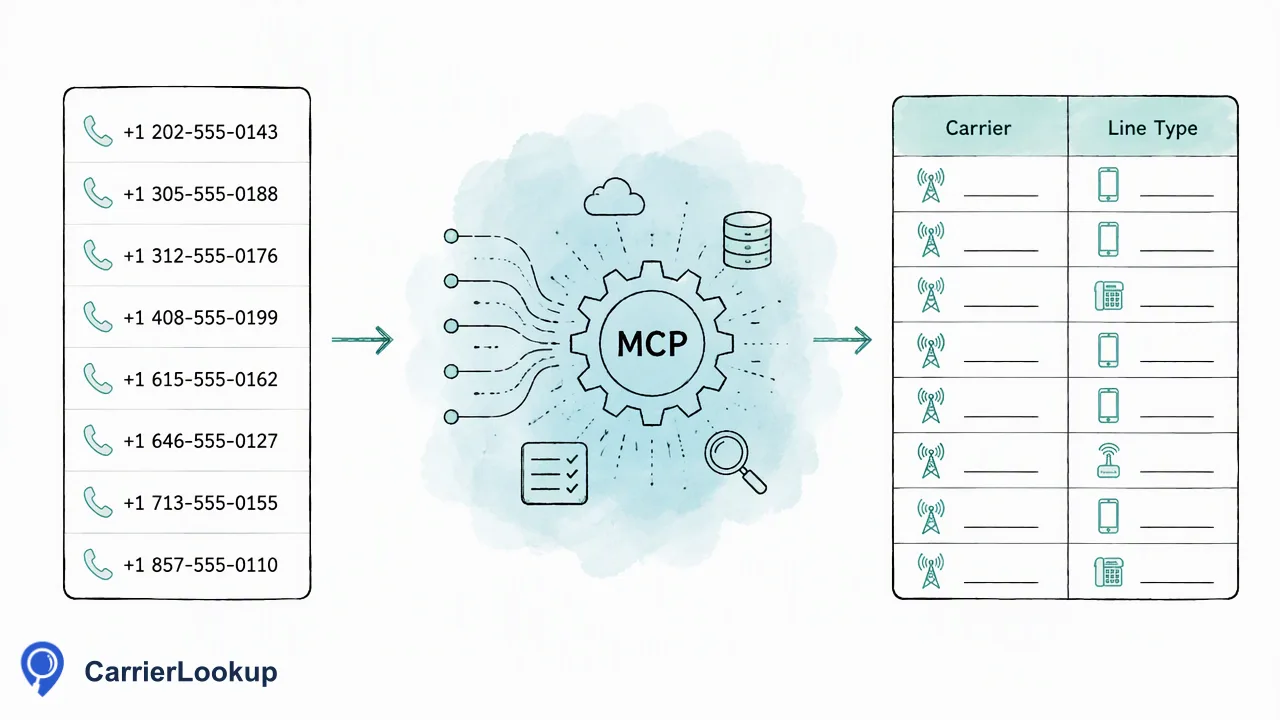
A practical guide to connecting an AI assistant to the CarrierLookup MCP endpoint for realtime original-carrier checks.
A carrier lookup MCP integration lets an AI assistant call a phone carrier lookup as a tool instead of a person copying numbers into a dashboard. CarrierLookup exposes an official realtime MCP endpoint at https://carrierlookup.online/mcp. It lists products, checks one number, checks a batch of numbers and reads the account balance. Results describe the carrier a number was originally allocated to, not the current carrier after porting. Large file tasks are not available through MCP.
What a carrier lookup MCP endpoint does
Model Context Protocol (MCP) is a standard way for an AI assistant to discover and call external tools. Searching for a carrier lookup MCP today mostly turns up two unrelated groups: freight-carrier servers that look up trucking authority records, and phone-number servers. Some phone servers are local scripts limited to one country; others, such as the Data247 listing, are remote services that return US and Canada carrier data. Check which kind a server is before connecting it.
The CarrierLookup endpoint belongs to the phone-number group and is global in scope for realtime checks. It sits on top of the same service as the web dashboard and REST API, so the assistant uses the same account, balance, billing and limits as a human user.
The key habit is to read results as allocation context. The carrier value is the one the number range was originally allocated to. If a number moved to another network, the original carrier still appears, so an assistant should never describe it as the network currently serving the number.
Tools exposed through the MCP endpoint
The endpoint exposes four realtime tools, and only these:
| Tool | Use it for |
|---|---|
| Product list | Discovering which lookup service the account can call |
| check_number | One number in international format |
| check_numbers | Several numbers in one synchronous request, returned in input order |
| get_balance | Reading the shared balance without running a lookup |
Input follows the same rule as the REST API: a leading plus sign, the country code and the subscriber number, with no spaces or separators. Realtime checks do not need a separate country selection, so a mixed-country list can go through one multi request.
When the assistant checks several numbers, each row in the answer carries the number and whether a normal result exists. A row that reports no result means there was no normal result for that number. It does not mean the number is disconnected or invalid, and an assistant summary should say exactly that rather than guessing.
A completed lookup can still return empty optional fields. That is a finished check with little allocation data, not a failure.
Connecting an assistant safely
The MCP endpoint authenticates with an Authorization header carrying a Bearer token. The REST API instead uses an X-API-Key header from a trusted server. Keep the two straight when moving between integrations, and keep credentials in the assistant client's secret storage rather than in prompts or shared chat logs.
Because MCP shares the account balance, an assistant that loops over a long list will spend balance as it goes. Useful guardrails:
- Ask the assistant to call get_balance before a large interactive batch and report it back.
- Keep each multi request to a size a person could review. The synchronous multi call accepts 1 to 100 numbers.
- Tell the assistant to report failures separately from empty results, since failed or undetermined lookups do not keep a charge while a completed lookup does.
- Review the first few rows manually before trusting a summary.
A timed-out multi request fails as a whole with no partial results, so the assistant should retry the same smaller group instead of stitching together partial output.
Where MCP fits and where it does not
MCP suits conversational, small-to-medium work: an analyst asks an assistant to enrich a handful of leads, a support agent checks one number during a ticket, or a developer verifies how results look before writing integration code. The answer comes back inside the conversation, so no export step is needed.
It is the wrong tool for large prepared lists. The asynchronous file service, Global carrier lookup, runs through the dashboard or the REST bulk-task endpoints, which accept TXT or CSV files for one selected country and return one downloadable CSV per successful task. There is no bulk-file tool in MCP, and a multi request is a synchronous check rather than a file task.
A simple decision rule works well: if the numbers fit in a conversation and the answer is needed now, use MCP; if the list is a file, use a bulk task; if a production system needs it, call the REST API from a trusted server.
Whatever the channel, carrier data informs routing and CRM grouping. It does not establish that a number can receive calls or messages, who owns it or whether the contact consented to outreach.
FAQ
Can an AI assistant run bulk file tasks through the carrier lookup MCP endpoint?
No. The MCP endpoint covers realtime work only: listing products, checking one number, checking a group of numbers and reading the balance. File tasks for large lists run through the dashboard or the bulk-task REST endpoints, and the result is a downloadable CSV.
How can teams authenticate an assistant to the MCP endpoint?
The MCP endpoint uses an Authorization header with a Bearer token, while the REST API uses an X-API-Key header from a trusted server. Store the credential in the client's secret settings and never paste it into a prompt or a shared document.
Does the MCP lookup return the carrier a number uses today?
No. The carrier is the one the number range was originally allocated to, which can differ from the current network after porting. Assistants should present it as original allocation context only, and keep summaries free of statements about network status or reachability.
Learn More
Choose the product information that fits the next step in your workflow.