
Reconcile a Carrier Bulk Task Reservation with Its Final Charge
Separate reserved balance, completed results and released reserve, then explain differences when other work shares the same wallet.
A local reconciliation record connects a carrier bulk task to its file, final results and wallet observations without guessing at concurrent spending.
For carrier bulk task balance reconciliation, separate the estimated reservation from the final charge and unused reserve. Match the task to its prepared file and completed results, then check whether other activity affected the shared account balance.
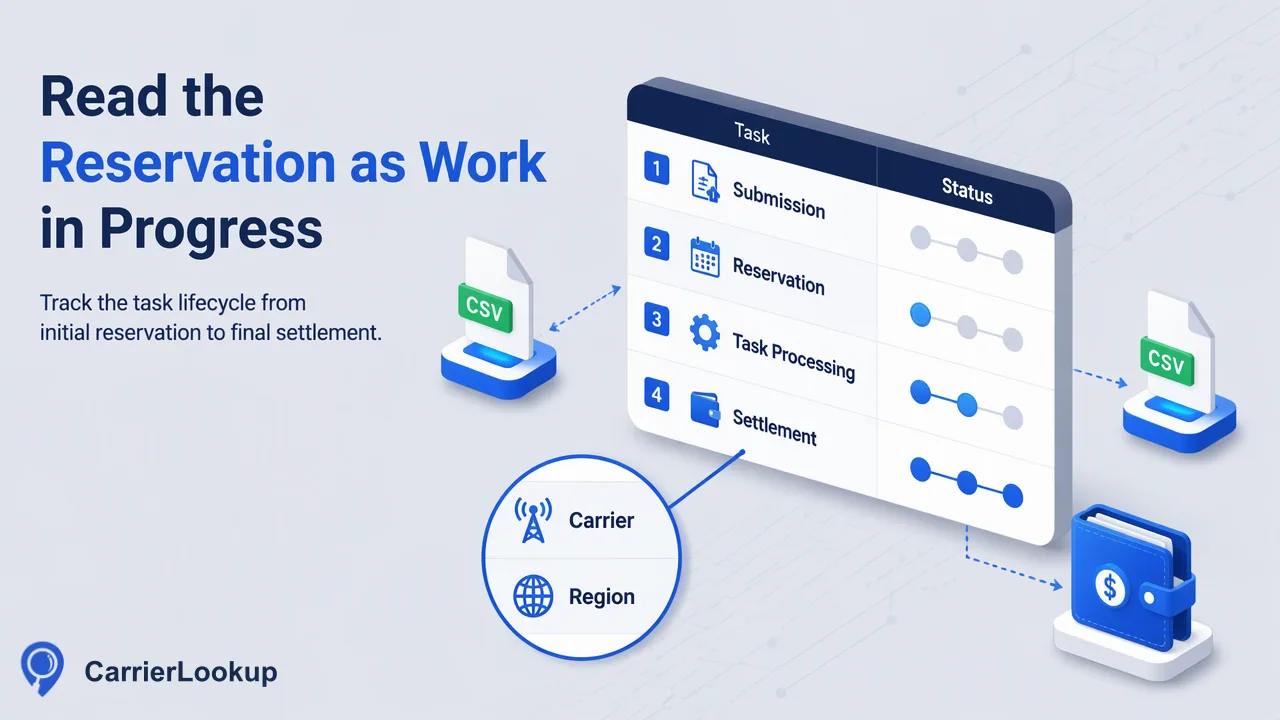
Read the reservation as work in progress
You submit a carrier file, see the available balance fall and later receive a CSV with fewer rows than the original upload. The first balance movement does not by itself tell you the task's final cost. Bulk submission reserves an estimated amount while the task is processed.
CarrierLookup charges numbers that return results and returns unused reserve to the same wallet. A task that fails during preparation returns its reservation in full. This reserve reconciliation is different from reversing a top-up or plan purchase.
Keep three values distinct in your own record: the amount reserved, the final charge and the amount released. When all three are available for the same task, the expected relationship is reservation equals final charge plus released reserve. Do not fill an unavailable task-level value with a whole-account balance difference simply to make that equation work.
Build the task record from the submitted file
Start with the exact file you submitted, not the current version of a spreadsheet that someone may have edited afterwards. Save a file digest, the selected country, the service type carrier_batch, the task ID and submission time. Keep contact-bearing files in restricted storage and use references to them in the worksheet.
Bulk preparation excludes invalid rows, duplicates, numbers without a country code and numbers outside the selected country. Excluded rows are not charged. Your local preparation report can explain some exclusions, but distinguish your estimate from counts actually reported by the service.
| Local worksheet field | What it connects |
|---|---|
| Task ID and service type | One carrier file task, rather than all account work |
| Source-file digest and row count | Exact upload version |
| Country and preparation notes | Intended number set and local exclusions |
| Submission and state timestamps | Period during which the reserve was held |
| Reservation evidence | Amount held, if shown by available task or account records |
| Result file, digest and row count | Completed output for this task |
| Final-charge and release evidence | Settlement values where available |
| Other wallet activity | Reasons balance snapshots may not isolate this task |
| Unexplained difference | A visible unresolved amount, not a fabricated adjustment |
These are fields in your worksheet, not a promised provider billing-ledger API. Preserve the source of each amount so an operator can distinguish an observed figure from a calculation.
Count completed results without treating blanks as failures
A successful carrier task provides one CSV with identifier, carrier, underlying_carrier, number_type, country_code, region and city. Use the identifiers to connect output rows to the prepared input. The bulk CSV does not have the synchronous multi response's exists field.
An empty carrier or geography value means the value was unavailable. It is not sufficient evidence that the row failed or should be free. Completed carrier results can be chargeable even when allocation fields are empty. Keep field completeness separate from the count of completed results when estimating a charge.
For example, your local report might show some duplicate input lines and some completed output rows with blank city values. The duplicate input lines belong in the preprocessing reconciliation. The blank cities belong in the result-quality review. Subtracting both groups from the billable count would mix two different questions.
Count identifiers consistently and inspect duplicate or missing output mappings before calculating totals. If the available task detail does not establish why a submitted identifier is absent, label the difference unresolved. Do not invent a per-number failure code from the absence of a CSV row. Use the task state and available service evidence to resolve it.
Use a quiet wallet to understand one task
In an isolated run, pause other paid work under your control and note the balance immediately before submission. Record the reservation observation, wait for the task's final state, and record the settled balance and any displayed charge or release. Include top-ups, plan changes and any other account movement in the observation period.
If there truly were no other movements, the difference between the starting and settled balances can corroborate the task's net cost. It still helps to compare that result with the completed count and the applicable price shown in CarrierLookup pricing. Preserve the price used at the time rather than replacing it silently with a later price.
GET /api/v1/balance reads the current balance_micros without creating a check or charging for the inquiry. Store that integer directly and use integer arithmetic for differences; convert to a display amount at the edge of your application. A balance snapshot is an account observation, not an itemized task statement.
The task can be processing, success or failed. A processing task has not settled merely because one balance reading remained unchanged. Query task status no more often than every 30 seconds and retain the final state with the result record.
Explain concurrent spending without assigning it to the file
Realtime carrier checks and the asynchronous services share one balance. If another team performs checks while your bulk task runs, starting balance minus ending balance includes that work. Another bulk reservation can also remain open at the end of the period, making available balance a poor proxy for settled charges.
In your worksheet, separate task-attributed amounts from account-wide movement. Reconcile known other charges, credits and outstanding reserves using evidence you actually have. If the residual cannot be assigned, report “unattributed shared-wallet difference” with the observation window. Do not attach it to whichever task finished last.
For an unexplained difference, collect the task ID, service type, timestamps, file digest, prepared count, final state, result count, balance observations and any available reservation or settlement details. Include whether realtime work or other file tasks ran concurrently. Share only the minimum necessary contact data through the appropriate support channel; never include an API key.
Begin with the next carrier bulk task: keep its input version and task ID together before submission. That small step makes the final CSV, released reserve and any remaining discrepancy traceable to the same piece of work.
Learn More
Choose the product information that fits the next step in your workflow.