
Bulk Carrier Lookup API: Submitting a File Task and Polling for the CSV
How to run a bulk carrier lookup API file task: multipart submission, polling every 30 seconds, preprocessing exclusions, and the downloadable CSV.
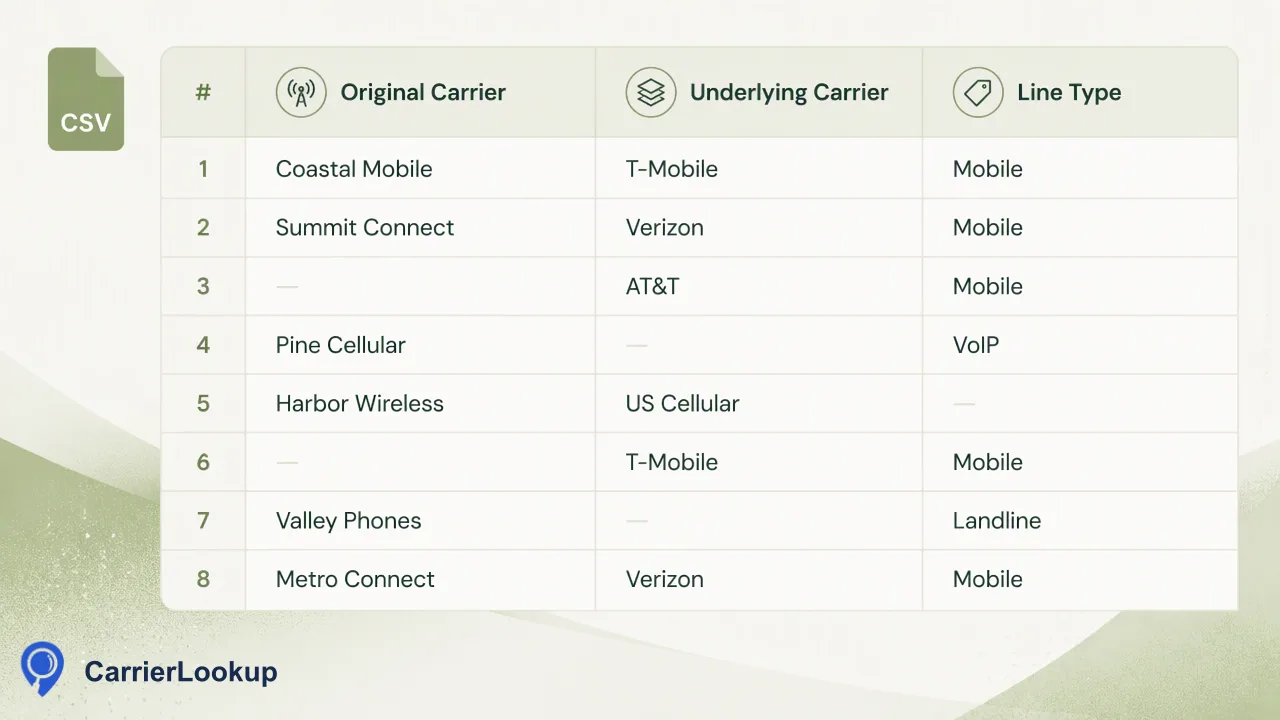
A developer walkthrough of the CarrierLookup bulk file task: submitting a TXT or CSV with a country, polling status, and reading the single CSV result.
The CarrierLookup bulk carrier lookup API is an asynchronous file task. Send a multipart request to POST /api/v1/bulk-tasks with the country field placed before the file, then read status from GET /api/v1/bulk-tasks/{id} no more often than every 30 seconds until the state is success or failed. A successful task returns one downloadable CSV with original carrier, underlying carrier, number type and allocation fields. The route suits whole large lists for one country. Per-product limits apply, so confirm them in the API documentation first.
Prepare the file before you call the API
A clean file saves more time than any retry logic. The bulk route accepts a one-column TXT or CSV file with one country-coded number per line. XLSX is not accepted, so export spreadsheets to plain text or CSV first.
Write each row as digits with the country code. Keep the list essentially one country, because a single country is selected for the task and numbers outside it are excluded.
A short preparation routine:
- Export one column and remove headers or notes.
- Normalize every row to the country-coded digit form.
- Split the master list by country and create one file per country.
- Check the file against the current limits in the API documentation. The default file-size ceiling documented there can be superseded by a limit the live service returns, so the live value wins.
Preprocessing will exclude invalid rows, duplicates, numbers with no country code and numbers outside the selected country, and none of those are charged. Removing them yourself first gives you a cleaner picture of how many rows you really submitted. Keep a copy of the exact file you submit, with its row count, so you can reconcile the final CSV against your source list later and see which rows dropped out.
Submit the task with a multipart request
Submit with POST /api/v1/bulk-tasks from a trusted server. Authenticate with the X-API-Key header, and never expose the key in browser code.
The body is multipart form data with two parts: the selected country and the file. Order matters, so put the country part before the file part. Many HTTP clients build the body from a dictionary, and the order may follow insertion order, so check how your client serializes it.
A sketch of the call with curl:
curl -X POST https://carrierlookup.online/api/v1/bulk-tasks \
  -H "X-API-Key: $CARRIERLOOKUP_API_KEY" \
  -F "country=GB" \
  -F "file=@uk_numbers.csv"
Use the ISO country code that matches the list. The response gives you a way to refer to the task for polling, so store that reference with your own job record. Do not invent extra fields, a JSON array of numbers, webhooks or cancellation calls. Only file submission and status reads are documented.
Poll the task without hammering the API
Read status with GET /api/v1/bulk-tasks/{id}. A task is in one of three states: processing, success or failed.
Poll no more often than once every 30 seconds. A tighter loop does not speed up the work. No normal completion time is documented, and there is no per-number progress, so build the loop around the state rather than a guess about duration.
import time, requests

def wait_for_task(task_ref, headers):
    while True:
        r = requests.get(f"https://carrierlookup.online/api/v1/bulk-tasks/{task_ref}", headers=headers, timeout=30)
        state = r.json()["data"]["status"]
        if state in ("success", "failed"):
            return state
        time.sleep(30)
Treat the field names in this sketch as placeholders, and take the exact response shape from the API documentation. In production, add a maximum wait that matches your job schedule, store the last observed state, and let an operator alert fire if a task stays in processing longer than your own tolerance.
Download and read the CSV
When the state is success, download the result. You receive one CSV, not a ZIP. It holds the identifier, carrier, underlying carrier, number type, country code, region and city for the numbers that returned results.
Three reading rules:
- The identifier has no plus sign. It is plain digits with the country code and no spaces. Normalize your own keys the same way before joining.
- Empty cells mean unavailable. Keep them as unavailable values and do not convert them to a negative conclusion.
- Carrier is original allocation. It is not the current carrier after porting. Region and city describe allocation geography, not where a person or device is.
Load the file into a staging table first, then merge into your contact records by key. Keep the task reference and the run date in the staging table, so later audits can tell which run produced which values. Remember that the CSV has no column that says whether a number can be reached, and your own rules should not infer that.
Failures, reservation and balance
A bulk task reserves an estimated cost when you submit it and charges only numbers that return results. The unused part of the reserve returns to the same wallet when the task finishes, and a failed task returns its whole reserve. This is reconciliation inside your balance and is not a purchase refund.
A task can fail during preparation, for example when too few valid mobile numbers are estimated or another acceptance condition is not met. When that happens, review the file for the exclusions described above, fix the list and submit a new task rather than retrying the same file blindly.
Check GET /api/v1/balance before submitting. It reads the balance without charging anything. In a scheduled job, compare the balance with your expected list size and stop early if it is short, because a reserve that does not fit would otherwise stop the task. For small leftover groups after a country split, a synchronous multi request through POST /api/v1/batch-check may be simpler than another file task.
FAQ
How can developers submit a bulk task without multipart errors?
Put the country field before the file field in the multipart body, send the file as a plain TXT or CSV with one country-coded number per line, and keep the API key in the X-API-Key header from a trusted server. Check how your HTTP client orders form fields.
How can developers choose a polling interval for the task status?
Poll the status call no more often than once every 30 seconds and stop when the state is success or failed. No normal completion time or per-number progress is documented, so set your own maximum wait and alert an operator when a task exceeds it.
How can teams handle a failed bulk task?
Read the failure as a signal about the file or acceptance conditions. The reservation returns in full, so review the list for invalid rows, duplicates, missing country codes and numbers outside the selected country, correct it and submit a new task.
Learn More
Choose the product information that fits the next step in your workflow.